Did you get spam accounts on your WriteFreely instance? Fix it fast and easy
I still believe WriteFreely is a good blogging platform, but has had a very serious security issue in all of its versions before the launch of version 0.17 where it was fixed, that allowed account creation even with closed registration.
And me, as several instances, was affected with the creation of 3,434 users in a very short time, with posts promoting gambling platforms with rather questionable content. Simple scams, dude.
I didn't even waited to translate the interface files for the new version to update my instance, to avoid further account creation. And even though a batch user management tool from the command line is already in the works, it's not included in the new version. And the Admin dashboard still doesn't batch user management. And honestly, I'm too lazy to go user by user to delete them.
Fortunately, we can still use semiautomatic tools to at least do it in the least possible time. Unfortunately, I only tested this fix on Linux, so I don't know if it works for Mac, and definitely will need to be adapted to Windows. Although if you followed my WriteFreely installation tutorial, following this fix is pretty straightforward.
The first thing we need to do is getting a list of recently created users, and save it in a text file. For that, let's run this command in the terminal.
mariadb -u writefreely -p -e "SELECT username FROM users ORDER BY created DESC" writefreely > users.txt
And it will ask for the WriteFreely admin password from when you created your instance. You better have it saved somewhere.
Now, on the text file, the usernames will be stored, one by line.
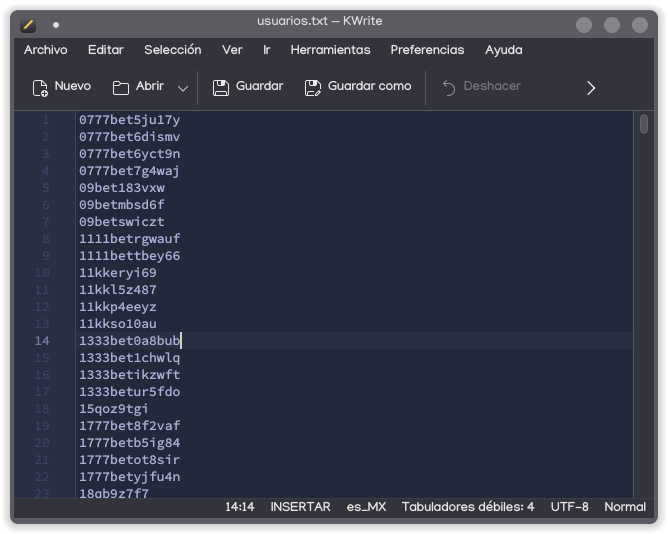
This file needs to be refined, deleting the usernames we do want to keep. As this security breach is somewhat recent, we will focus on the first lines because, conveniently, the users will be sorted from newest to oldest. And if your instance is only for you (such as mine, because I only have users for the blog in English and in Spanish), even easier.
Once you make your corrections, move the file to where the WriteFreely executable is located.
mv users.txt /var/www/html/writefreely/
Now, we will create a small script to automatize user deletion confirmation, because by default, the command is only interactive.
nano delete.sh
Inside, we'll enter the following lines:
#!/bin/bash

echo "Deleting user $1"
echo 'y' | ./writefreely user d $1
Press [Ctrl] + [S] to save immediately, and [Ctrl] + [X] to exit.
Finaly, let's run this command to delete these bothersome users once and for all.
for user in $(cat users.txt); do ./delete.sh $user; done
By running this command, all users listed on the text file will be deleted. So it's recommended to review the file before running the command, as it's irreversible once it has started.
And... that's it. We have finished. With this, we now have cleaned our instance.
And as I don't have anything else to say... I'm out.
Update July 20th, 2026: A new patch was released with version 0.17.1, so this fix is not really neede anymore. But I still leave this here because I spent a lot of time writing this article for me to send it to oblivion xd